
How to Compress PDF on Mac easily
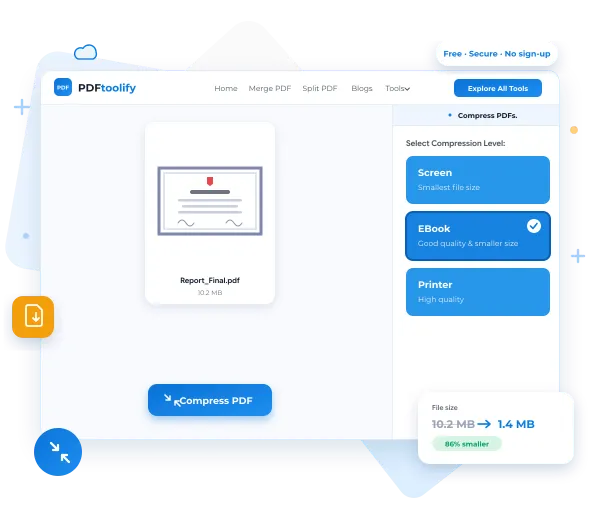
PDFtoolify Compress PDF tool is an online pdf compression tool
which you can use online through browser this have three
levels of compression which are Screen, Ebook, Printer
you can choose the level according to your requirement.
How to compress PDF to 500kb on Mac
To compress a pdf to specific size so there is no direct method
to convert the pdf into the specific size for converting the pdf to
the specific size like 500kb you need to compresss the pdf more than
one time to acheive your desired size.
Steps to Compress the pdf using the PDFtoolify
Step 1: Go to the PDFtoolify Compress PDF tool and choose the pdf file.
Step 2: Select the compression level and press the compress button.
Step 3: After that you will see the Download button after processing
Click on the download button. And your PDF will be downloaded.
How Compressing the PDF will help you
By Compressing PDF your PDF becomes lighter than previous
and it will really help for sharing and uploading online.
Compressing the pdf helps while filing the online forms and
doing any online activitise related to the documents.
Frequently Asked Questions
Will PDFtoolify Compress tool can compress PDF on mac ?
Yes, PDFtoolify Compress pdf tool definitely compress the PDF file.
Is PDFtoolify Compress PDF tool free to use ?
Yes, PDFtoolify Compress pdf is free you can compress pdf without any const using PDFtoolify.
Will quality of PDF will lose using this compress tool ?
No, Your pdf quality will be maintained except if you compress at very high level.